
Organize the footage and deliverables from your video projects

In video production, you have to hold on to the data after delivery in case revisions come in. The term depends on your contract and your studio’s own rules, but six months to two years seems to be the common arrangement. Once that term is up, though, most of us can’t quite bring ourselves to delete anything. The result is a hard drive where video piles up in the name of “backup.”
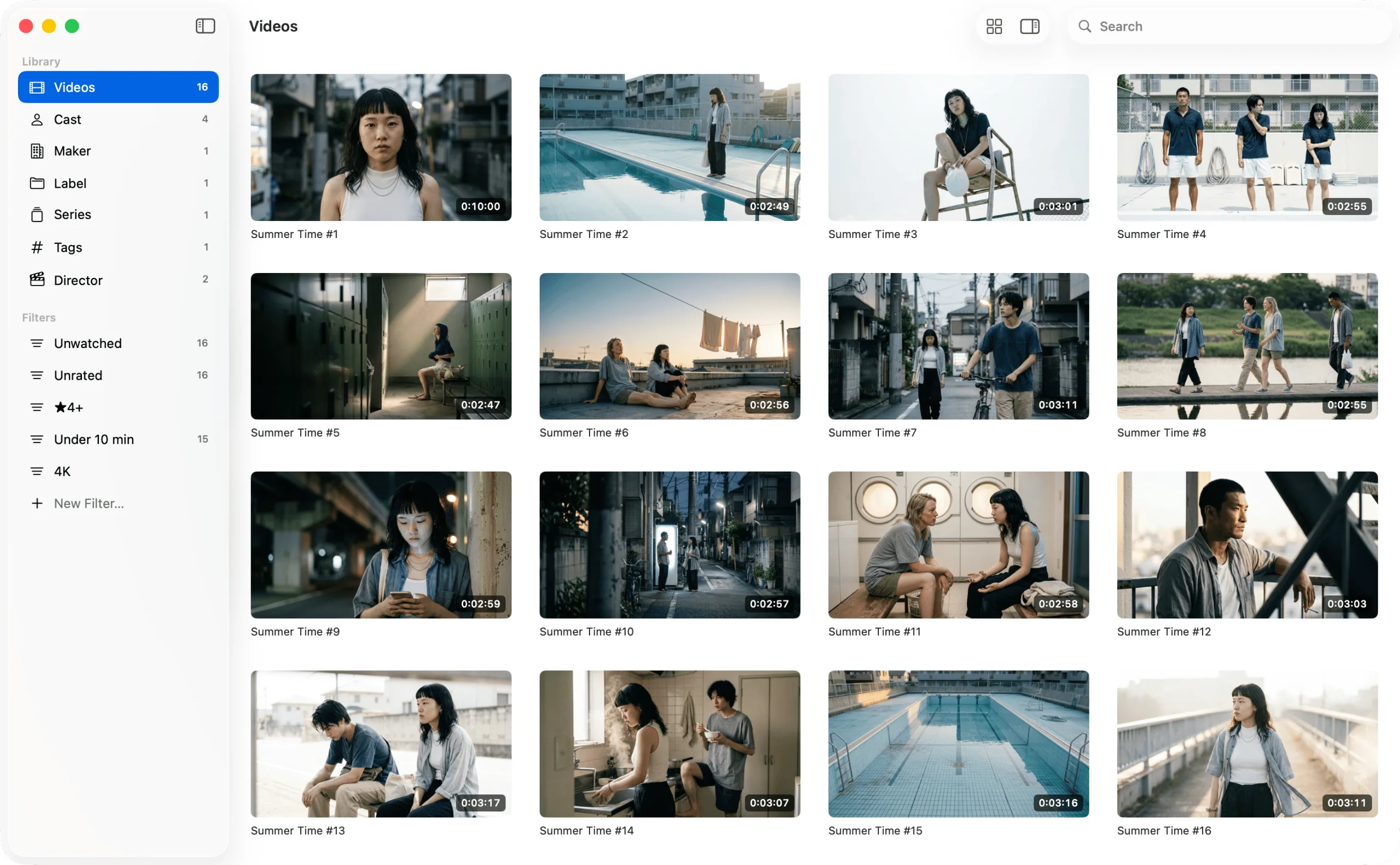
GRFR is an app for organizing and searching the video files you keep on your Mac. What sets it apart is that it never touches your video files at all: metadata is managed in text files instead. That lets you search along several axes at once — client, delivery date, and more — in a way folders alone never could. It’s free to download — give it a try.
Import your project folders
Choose File > Import Folder… (⇧⌘O) from the GRFR menu bar and pick a project folder. Point it at the parent folder that holds your projects and every project below it is imported in one go.
As it imports, GRFR creates two files next to each video, in the same folder: a cover image captured from the video, and a JSON text file that holds its metadata. The video itself is left alone, so there’s no loss of quality.
Organize your videos
Metadata comes with six fields from the start: Cast, Maker, Label, Series, Tags, and Director. On top of those, you’re free to add fields that suit the way you work. Open Settings, go to the Fields tab, choose Add Field…, and try creating fields like these:
| Key | Display Name | Type |
|---|---|---|
client |
Client | String |
project |
Project | String |
delivered_at |
Delivery Date | Date |
secondary_use |
Secondary Use | Boolean |
Select a video in the list and you can fill in the fields you added from the inspector. Select several videos and you can edit them all at once.
Search your videos
Choose File > New Filter… (⌥⌘N) from the menu bar to save a set of search conditions that combines any of your metadata fields. Saved filters line up under Filters in the sidebar, and clicking one switches the list to its results.
Organize the video files on your Mac
GRFR is an app for organizing and searching the video files you keep on your Mac. Add metadata such as titles, cast, and tags so you can revisit your favorites again and again, and enjoy browsing them as a wall of thumbnails.
Requires macOS 26 or laterFree, with in-app purchases
FAQ
Does importing change the video files I delivered?
No. Importing into GRFR never alters a video file itself. The only things it creates are a JSON text file holding the metadata and a cover image for the list, both in the same folder as the video.