
Watch webinars and online courses a little at a time

Long videos such as webinars, online courses, and meeting recordings tend to get watched in the gaps between other work, or half-watched in the background, rather than all in one sitting. That makes it hard, every time you come back, to remember how far you got or whether you already finished. You start wanting your progress written down somewhere.
GRFR is an app for organizing and searching the video files you keep on your Mac. Import the videos you’ve downloaded and it remembers the playback position of each one. Titles and instructor names, of course, but also short notes: all of it can be kept as metadata, so you can search for it later. It’s free to download — give it a try.
Import your videos
Choose File > Import Folder… (⇧⌘O) from the GRFR menu bar and pick the folder your video files are in. You can also import videos by dragging and dropping them onto the GRFR window.
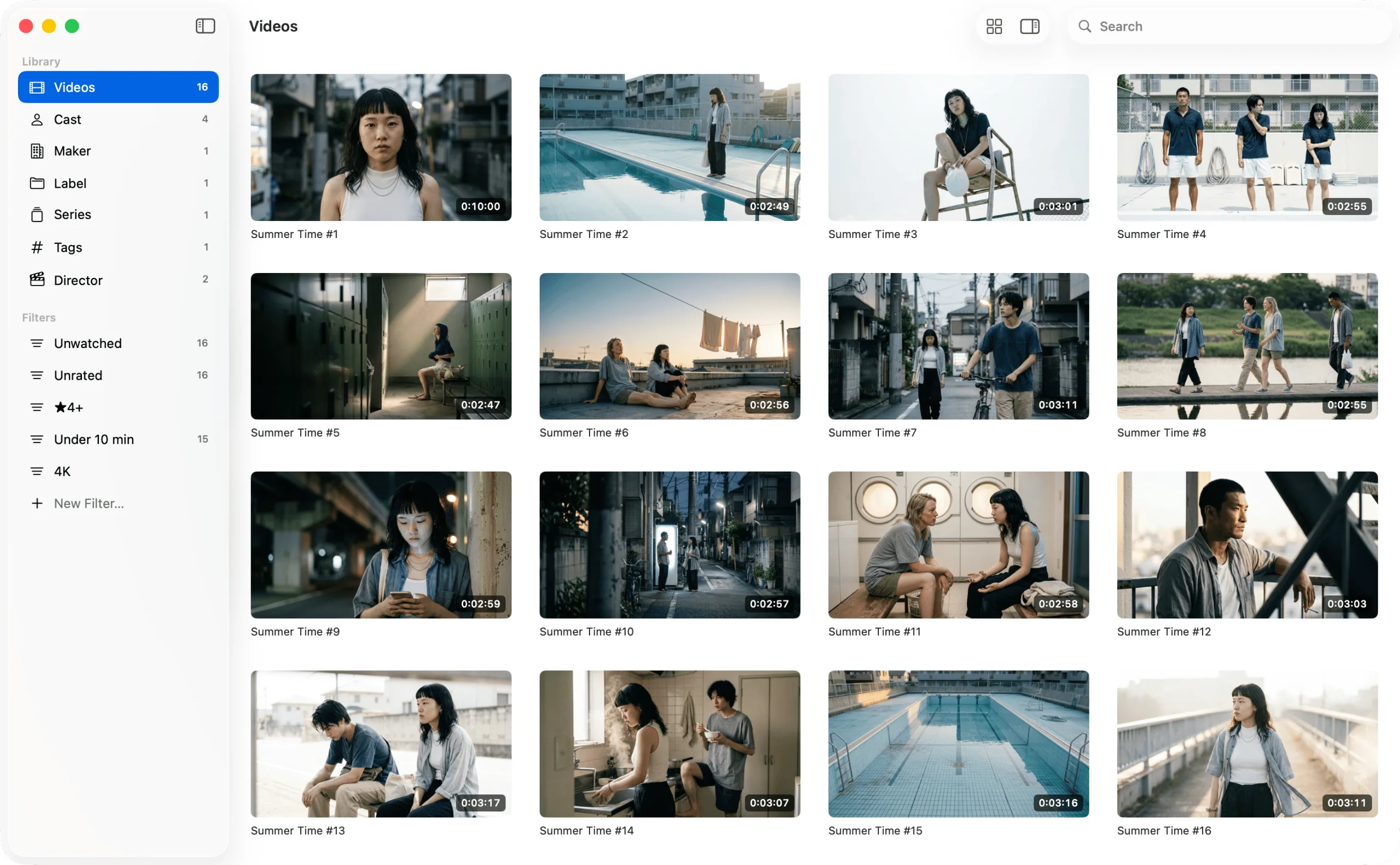
Once importing finishes, the list fills with thumbnails generated automatically from the videos. Hover the pointer over a thumbnail and move it left and right to scrub through the video and check the contents on the spot.
Resume where you left off
In Settings (⌘,), under the Playback tab, Resume where you left off is turned on from the start. Leave it on and GRFR remembers how far you’ve played each video.
Double-click a video in the list to start playing. You can drive playback from the keyboard alone: Space to play and pause, ← and → to move 10 seconds, and ⇧← and ⇧→ to move 60 seconds.
Find what you haven’t watched yet
The Filters section of the sidebar comes with a preset called Unwatched. Click it and the list shows only the videos you haven’t yet played in GRFR. To change what the filter matches, right-click it and choose Edit…, then customize the rules however you like.
Leave notes on a video
Select a video in the list and its metadata appears in the inspector. Press the Edit button at the top to change what’s there. Description is free-form, so it’s a good place to note the key points of a video or how far along you are.
Organize the video files on your Mac
GRFR is an app for organizing and searching the video files you keep on your Mac. Add metadata such as titles, cast, and tags so you can revisit your favorites again and again, and enjoy browsing them as a wall of thumbnails.
Requires macOS 26 or laterFree, with in-app purchases
FAQ
If I stop a video partway through, does it pick up where I left off?
Yes. When you play a video in GRFR, it remembers the playback position for that video, so the next time you open it, playback starts where you stopped. Even with several videos on the go at once, each one resumes from its own position.